








graphomate suite (charts, chartrix, matrix and bubbles) 2025.3
With the graphomate suite - consisting of several specialized chart and table components - you can create clear and meaningful visualizations of complex data in Microsoft Power BI, Tableau, SAP Analytics Cloud, SAP Lumira Designer, and other SAP Analytics tools according to IBCS rules.
About
Since 2010, graphomate GmbH has been one of the leading providers of visualization extensions for mapping IBCS in various BI front-end tools.
With our extensions, you can implement identical visualizations with a uniform notation concept for your reports, regardless of the BI environment you use. This is further simplified by the ability to use templates across different BI front-end tools
Our latest developments
graphomate chartrix
Our new chart component, graphomate chartrix, impresses with its revolutionary simple operating concept and great flexibility in terms of visual possibilities. In addition, a dedicated scripting language allows the visual possibilities of the component to be expanded as needed. Following its initial release for SAP Analytics Cloud in 2025, it will also be available for Microsoft Power BI, Tableau, and MS365 in 2026.
graphomate matrix
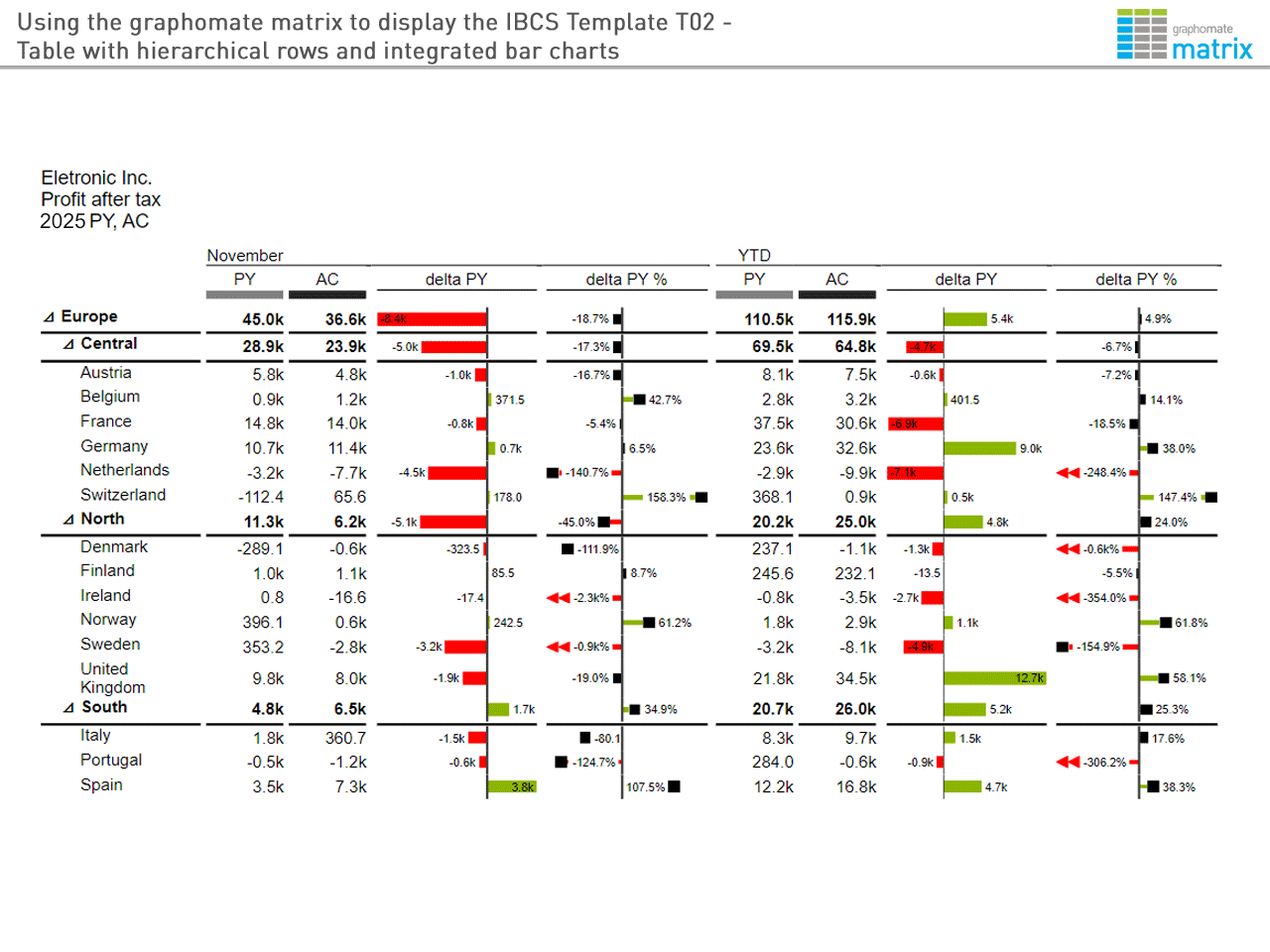
Our current table component, graphomate matrix, allows you to visualize high-performance, multidimensional tables hierarchically. These tables can be enhanced with visual elements such as bar charts, deviations, sparklines/bars, and trend arrows. graphomate matrix can also be freely formatted using its own scripting language.
Feel free to try it out for yourself with no obligation.
IBCS® CERTIFIED EXTENSIONS 2025.3
graphomate was first certified in April 2014 and it successfully completed its most recent IBCS recertification process in September 2025. This has once again confirmed the software’s capabilities in the visual design of business charts and tables according to the IBCS Association’s recommended standards. graphomate GmbH is the first provider whose products have been continuously IBCS-certified since 2014.
Examples
Here are some examples, including the reports implemented with the graphomate chart and tables extensions as part of the certification process:

-
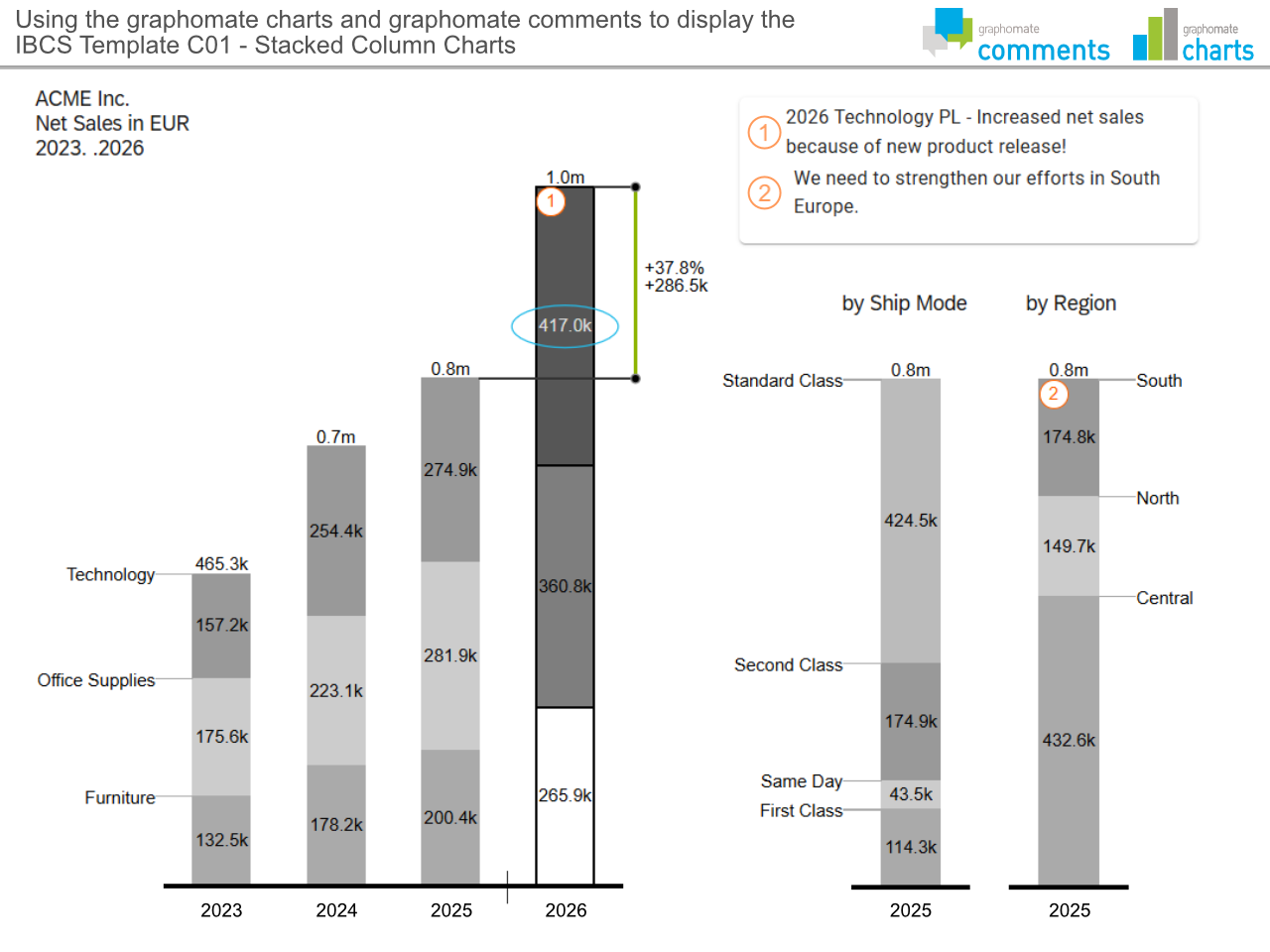
Template C01 - Stacked column charts Stacked column charts are being used for displaying data in their temporal development. The graphomate comments are used to enrich the diagrams with data point comments.
-
Template C03 - Multi-tier column charts The implementation of a uniform notation concept is also reflected in the use of scenarios.
-
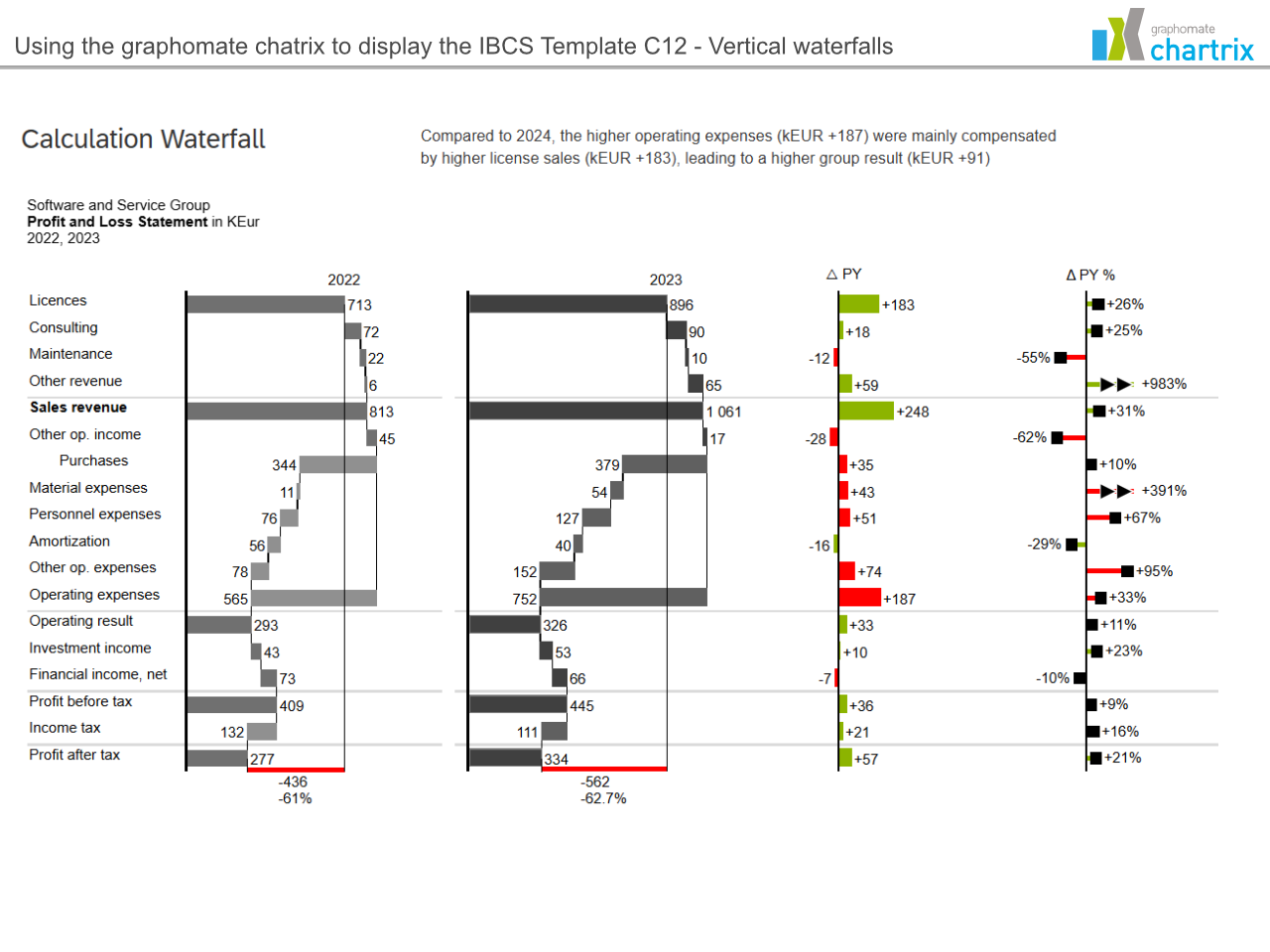
Template C12 - Vertical waterfalls With the graphomate chartrix, the profit and loss statement can be depicted graphically. Likewise, the presentation of the deviation increases the density of information.
-
Template T02 - Table with hierarchical rows and integrated bar charts The graphomate matrix replaces the graphomate tables. Benefit from the diverse setting options of the table. Data-driven formatting, deviations as numerical values, bar or needle charts, column scenarios and many more formatting options.
-
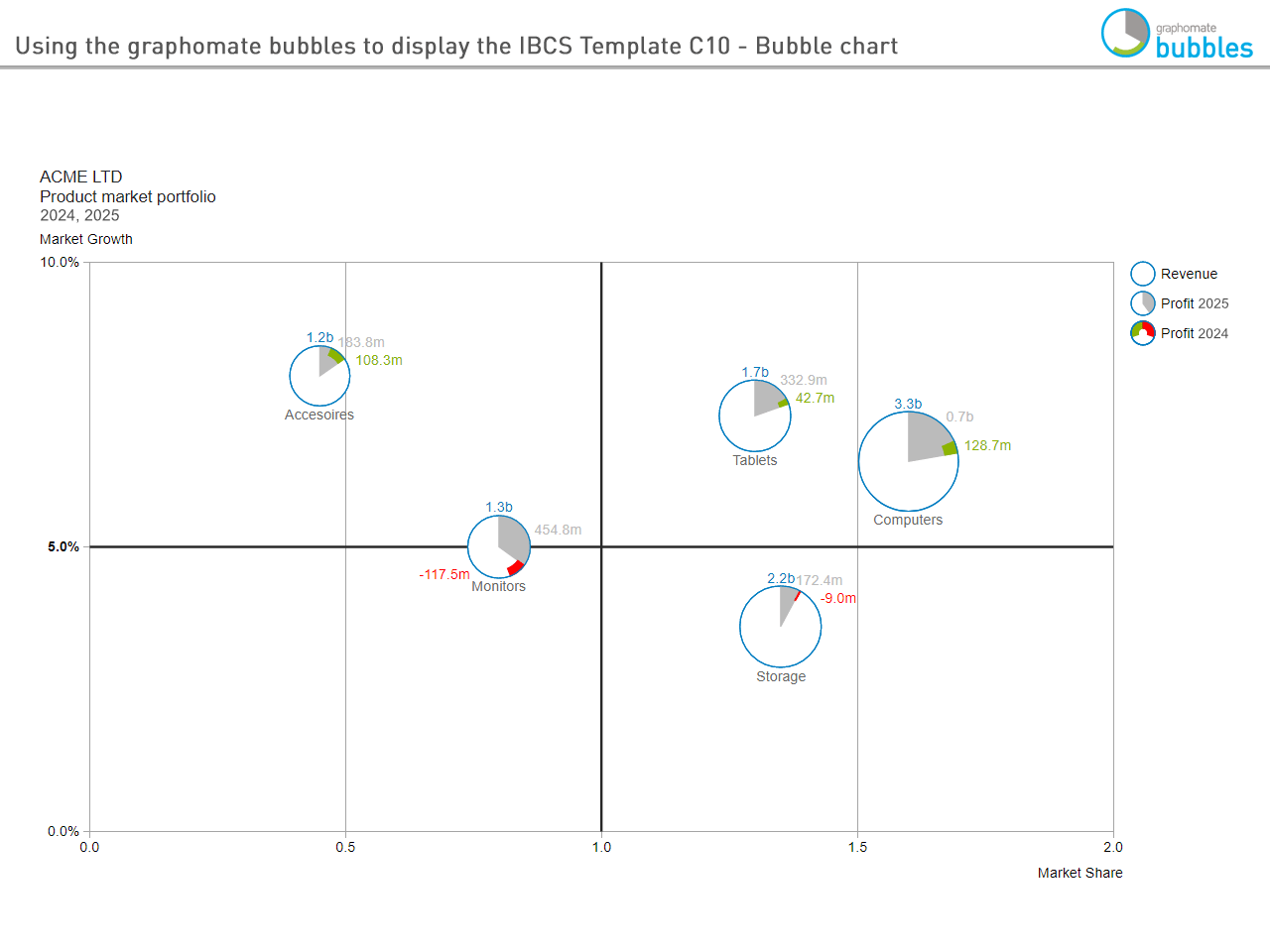
Template C10 - Bubble chart Display up to 5 measures with the graphomate bubbles
-
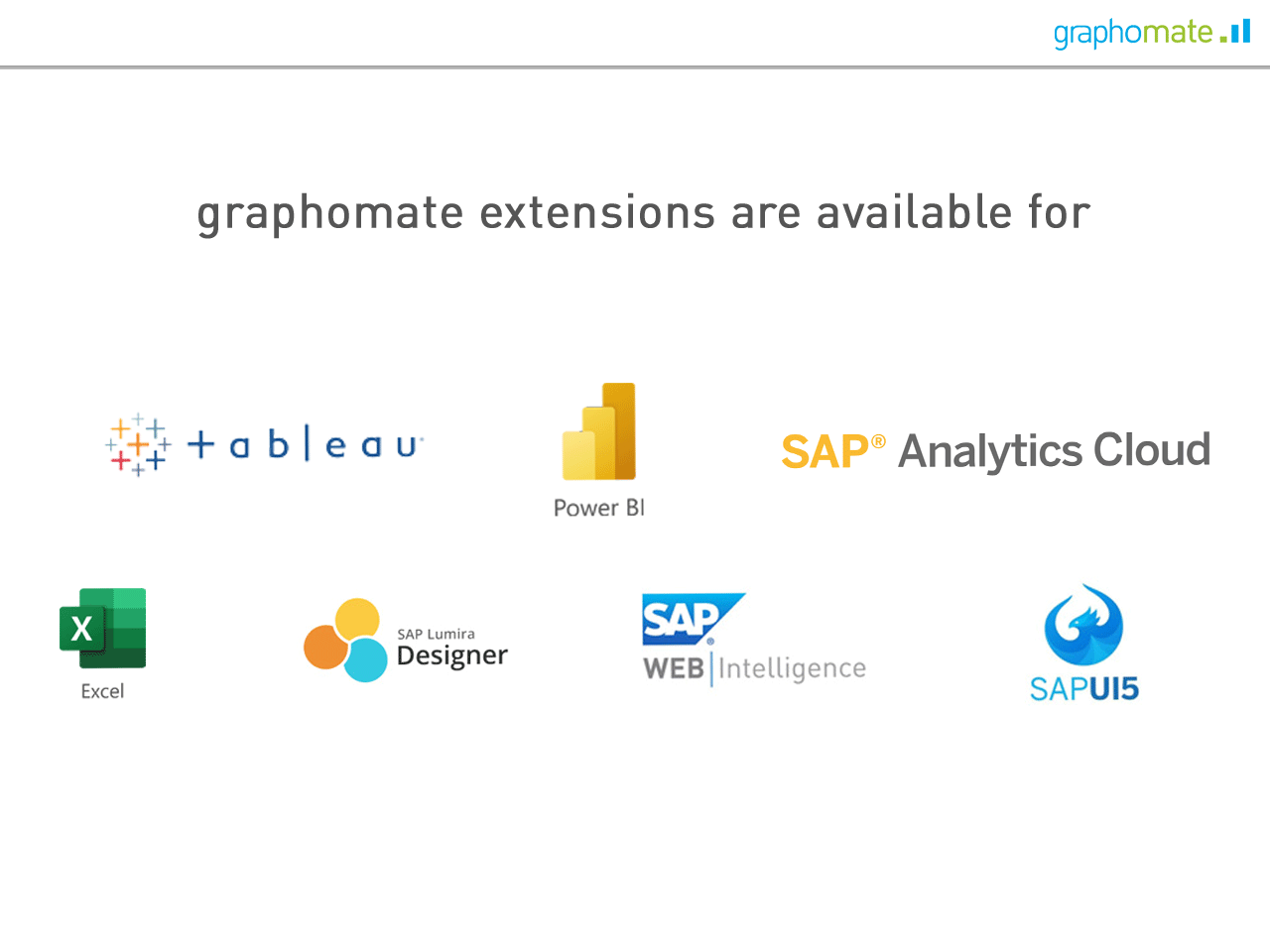
Availability of graphomate extensions for BI front end tools as well as a library for SAPUI5 Templates from all graphomate extensions can be stored centrally on the graphomate server and used across all the front ends mentioned.